
ATTRIBUTION
Know which ads actually pay.
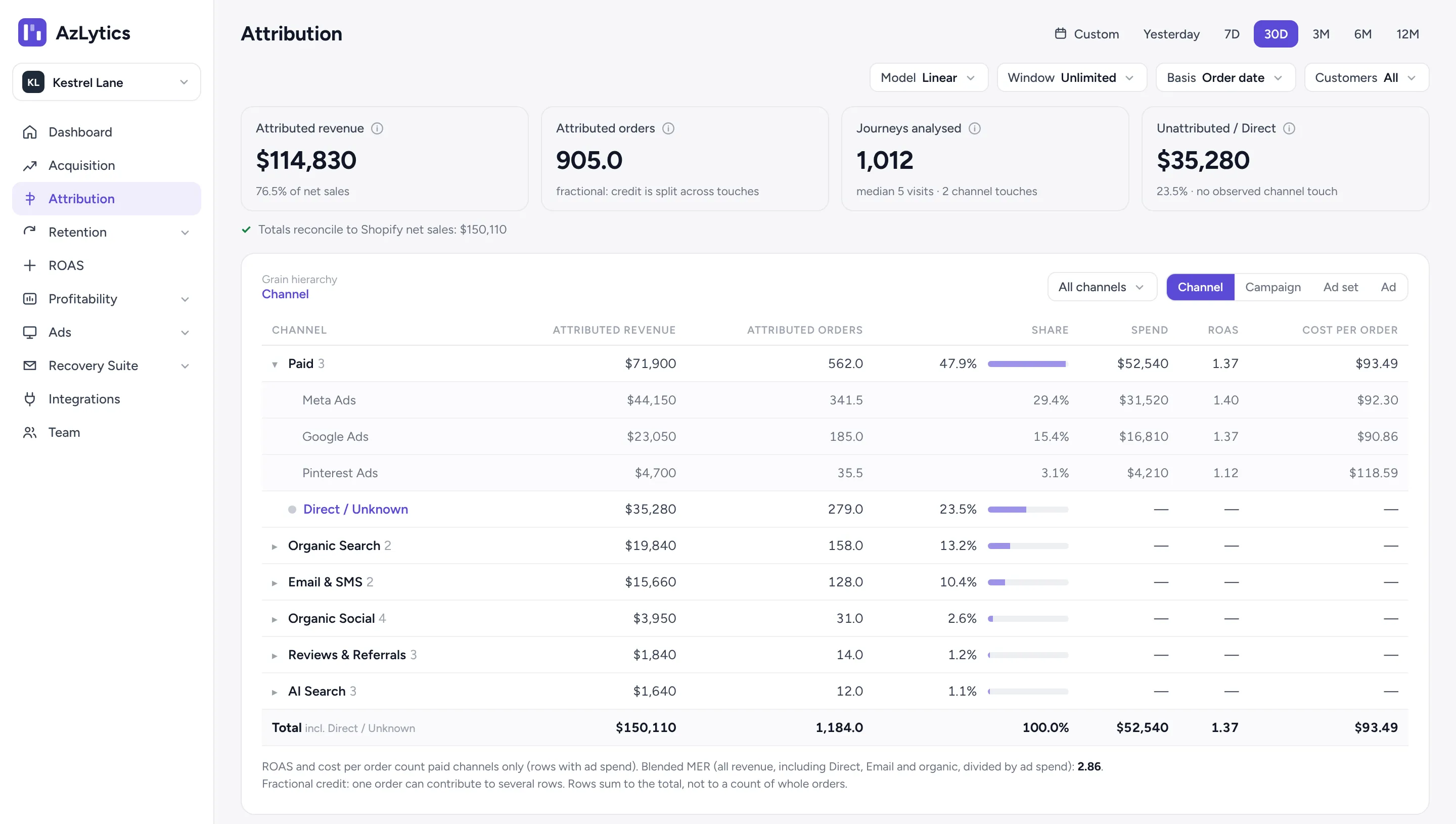
AzLytics’ own Shopify pixel follows every customer’s path to purchase. Credit for each sale goes to the touches that earned it, by the model you choose, and the totals reconcile to your Shopify net sales.
- Every order’s journey, touch by touch
- Revenue, ROAS and cost per order down to the single ad
- Six attribution models side by side
- Totals that reconcile to Shopify net sales
Free during the pilot · No sales call · No developer · Cancel any time
SOUND FAMILIAR?
Every platform takes credit for the same sale.
Add up what each ad platform claims, and it’s often more than Shopify says you sold.
THE PROBLEM
Meta, Google and Shopify all report a different number.
WITH AZLYTICS
One view where channel credit adds up to your Shopify net sales, instead of every platform claiming the same order.
THE PROBLEM
Your tracking tool says it catches everything.
WITH AZLYTICS
Tracking health shows how complete your data really is, and untraced revenue stays visible as Direct / Unknown.
THE PROBLEM
A channel looks great, but only under one model.
WITH AZLYTICS
Compare six models side by side. If a channel only wins under one rule, you’ll see it before you scale it.
CREDIT THAT ADDS UP
Credit that adds up to Shopify.
Each order’s credit is shared across the touches that led to it. Add up all the channel rows and you get your Shopify net sales, no more and no less.
Revenue with no observed touch goes to Direct / Unknown. It’s shown, not hidden, and never quietly handed to an ad.
Drill down from channel to campaign, ad set and single ad. Paid rows show spend, ROAS and cost per order. (The Any click model credits every touch in full, so its rows can add up to more.)
CUSTOMER JOURNEYS
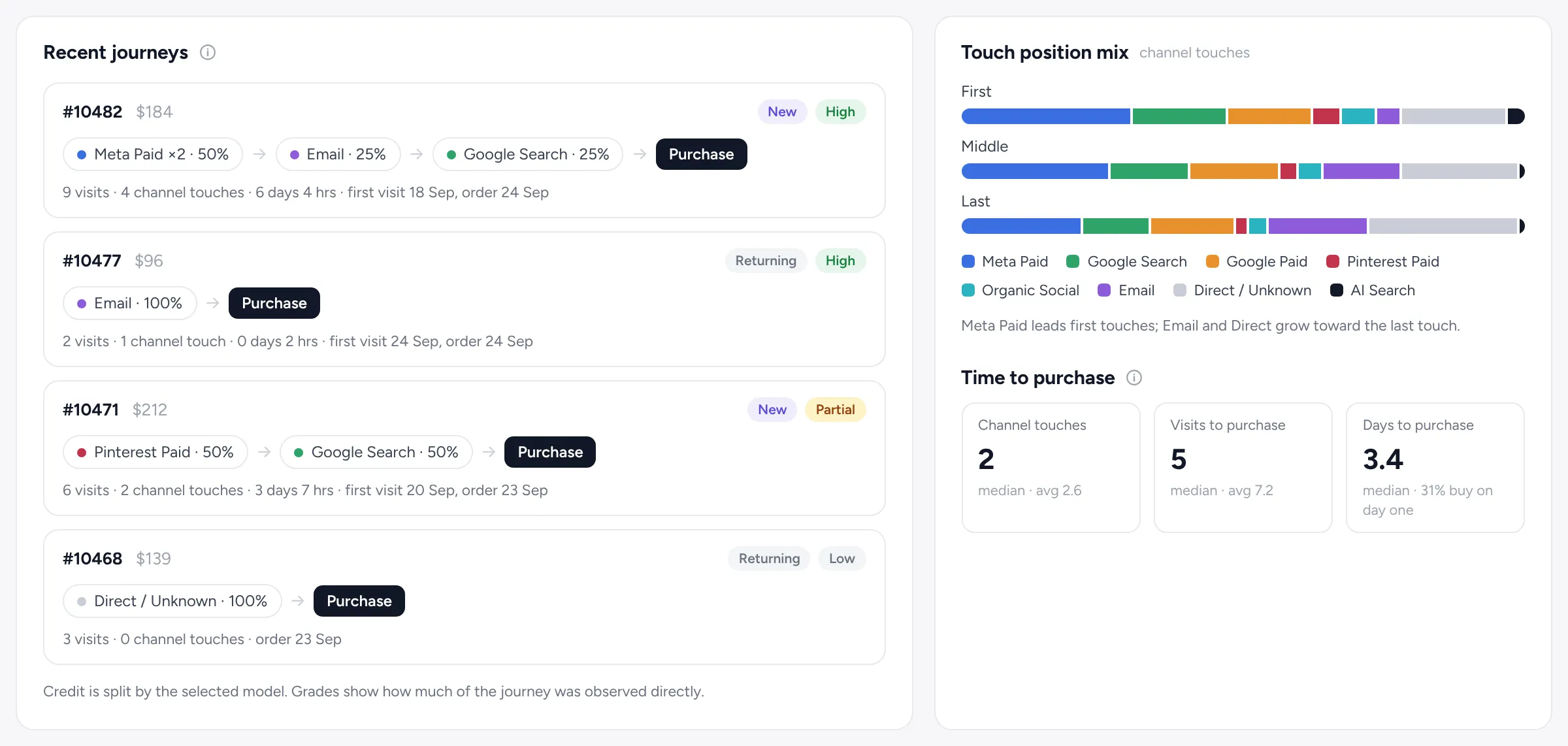
See the path behind every order.
Every visit and channel touch before the purchase, the credit each one gets, and an evidence grade (High, Partial or Low) that shows how much of the journey was seen directly. Plus which channels open, assist and close the sale.
MODEL COMPARISON
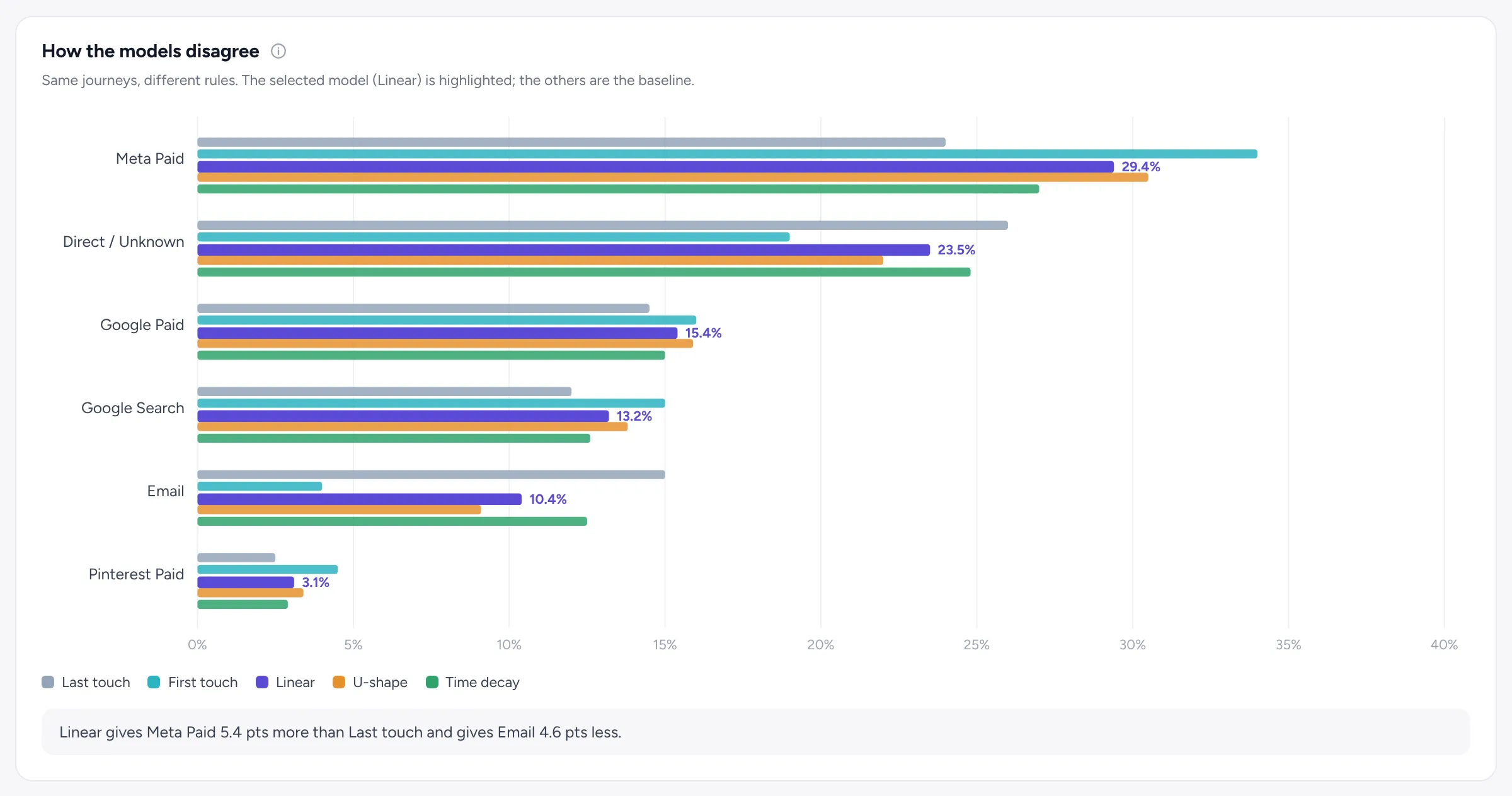
Same journeys. Different rules. See both.
Last touch, First touch, Linear, U-shape, Time decay and Any click, side by side. When a channel’s share jumps between models, you know its credit depends on the rule, not just the results.
TRACKING HEALTH
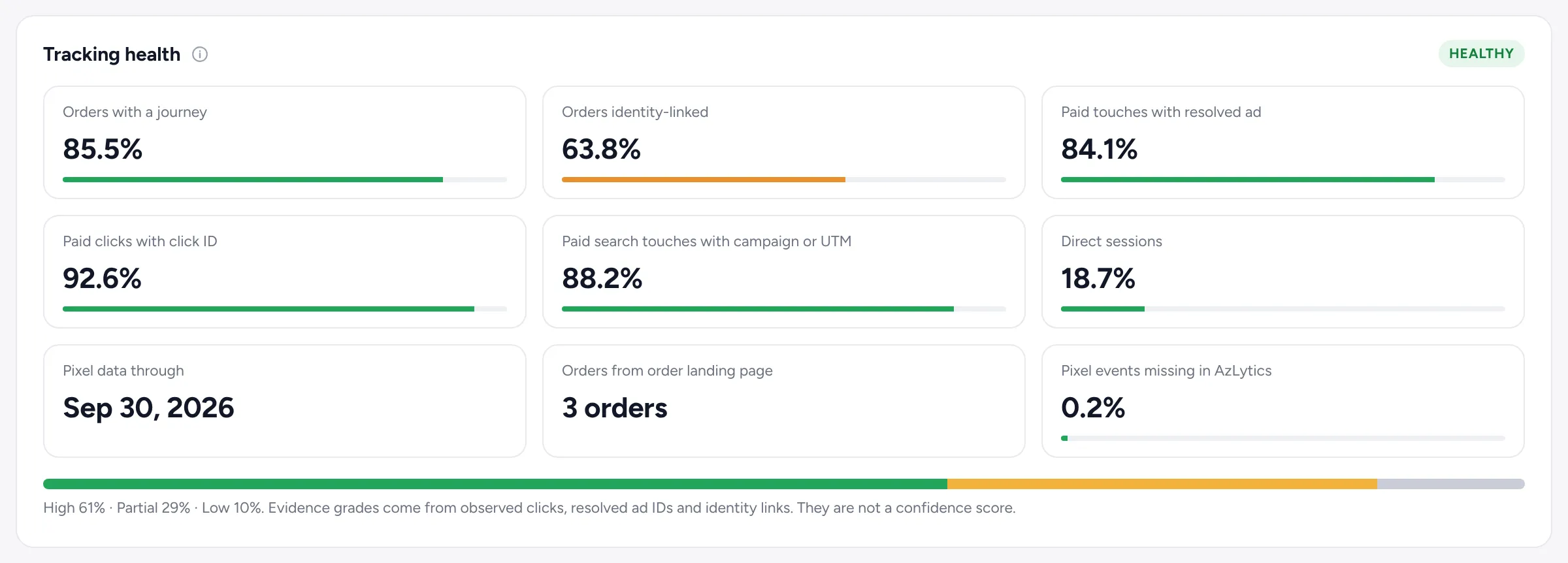
Know how much of your data is real.
The share of orders with a journey, identity-linked orders, paid clicks with a click ID, paid touches matched to an ad, and missing pixel events. No tool sees everything. AzLytics tells you what it sees.
ATTRIBUTION AND MER
Check channel credit against the whole store.
Attribution splits the credit between channels. MER needs no attribution at all. AzLytics shows both, so you can test what a channel claims against what the whole store earned.
MER (Business ROAS)
Total sales ÷ total ad spend
aMER
Revenue from new customers ÷ total ad spend
YOUR AD ACCOUNTS
Every ad platform in one view.
Connect your ad accounts in a few clicks. Spend shows up in your attribution and your P&L.
Attribution questions
Which channels really drive my Shopify orders?
AzLytics tracks visits with its own Shopify pixel and splits the credit for each order across the channels the customer touched. You see revenue and orders by channel, campaign, ad set and ad.
Does attribution match my Shopify sales?
Yes. The totals reconcile to your Shopify net sales. Revenue with no observed touch is shown as Direct / Unknown.
How does AzLytics track visits?
With its own first-party pixel, added through Shopify’s own pixel system. There’s no code to paste.
Which attribution models can I choose?
Last touch, First touch, Linear, U-shape, Time decay and Any click. You also choose the attribution window, the date basis, and new or returning customers.
What is Direct / Unknown?
Revenue from orders where no channel touch was observed. AzLytics shows it in its own row instead of guessing which ad deserves it.
Put your next dollar where it actually pays.
Attribution is one of four parts of AzLytics, with Profit, Recovery Suite and Retention.
Install free on ShopifyFree during the pilot · No sales call · No developer · Cancel any time